

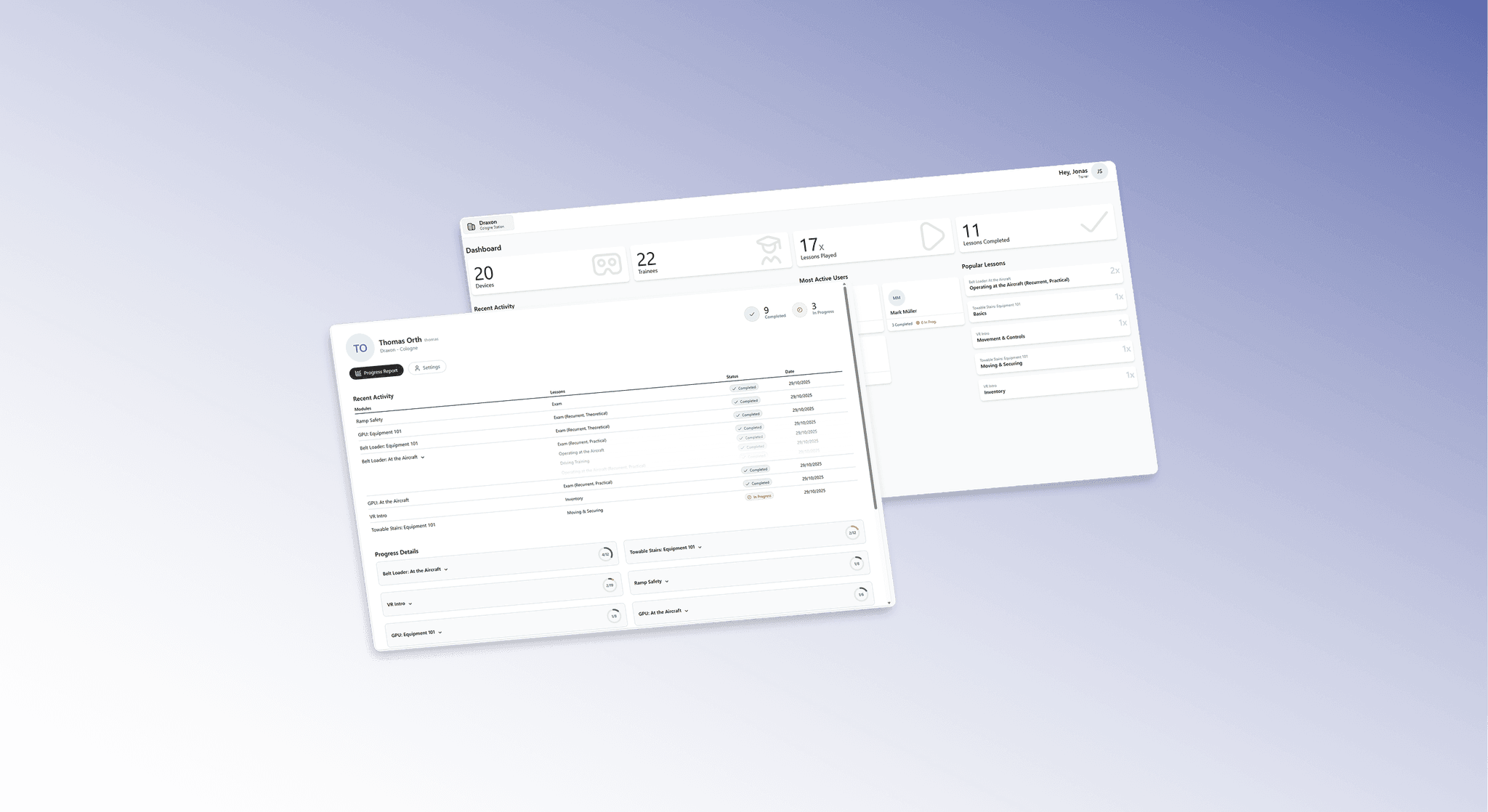
Trainer Portal
The central hub to manage trainees, track real-time progress, and observe VR training sessions live from a single interface.
In use at innovative airports and trusted by industry leaders











Key training information at a glance
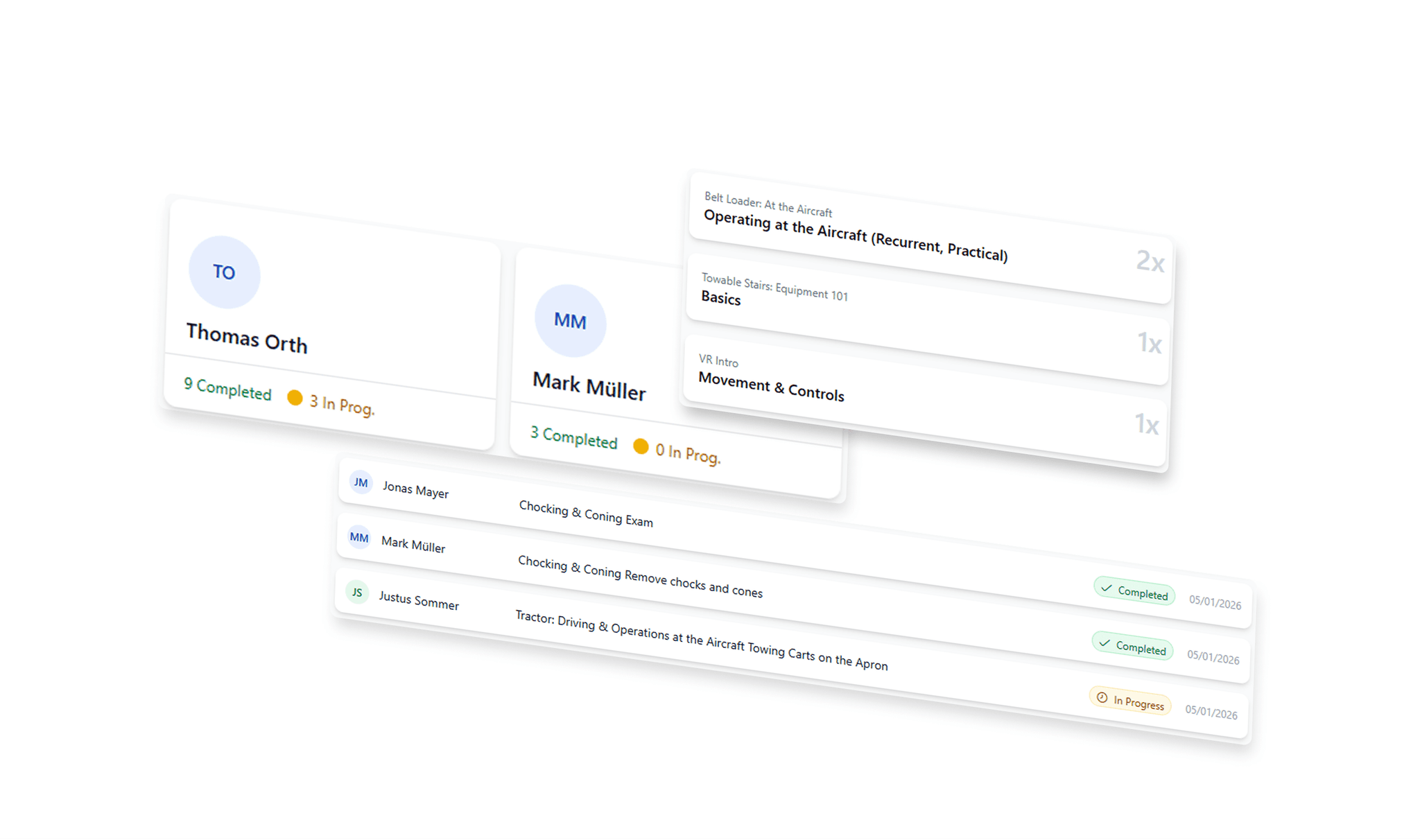
Monitor trainee activity and lesson engagement at a glance. Identify top performers and trending content to drive better results in real-time.
Detailed Progress Tracking
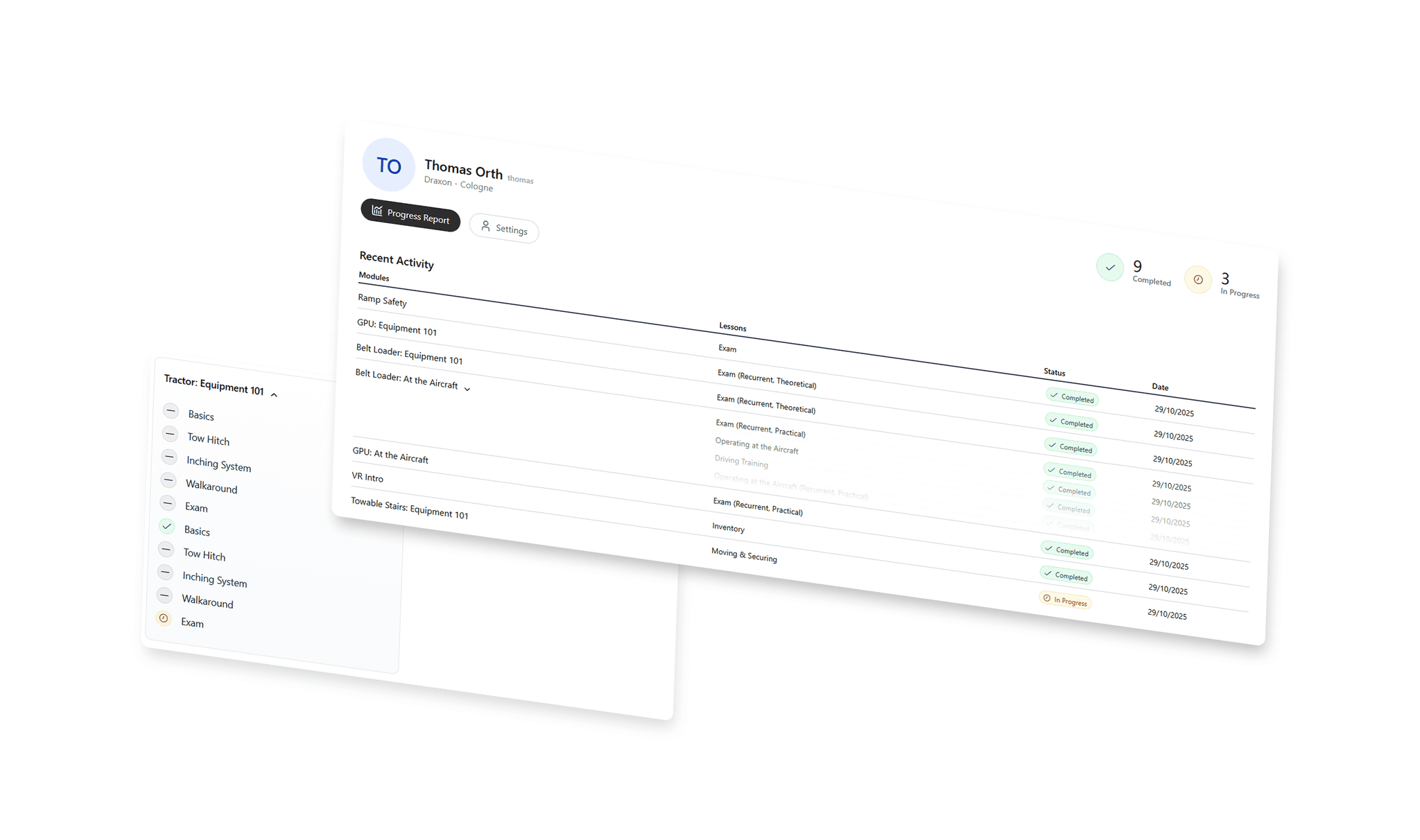
Track every learner’s journey with granular detail. Monitor module status, total completions, and recent activity to ensure everyone stays on course.
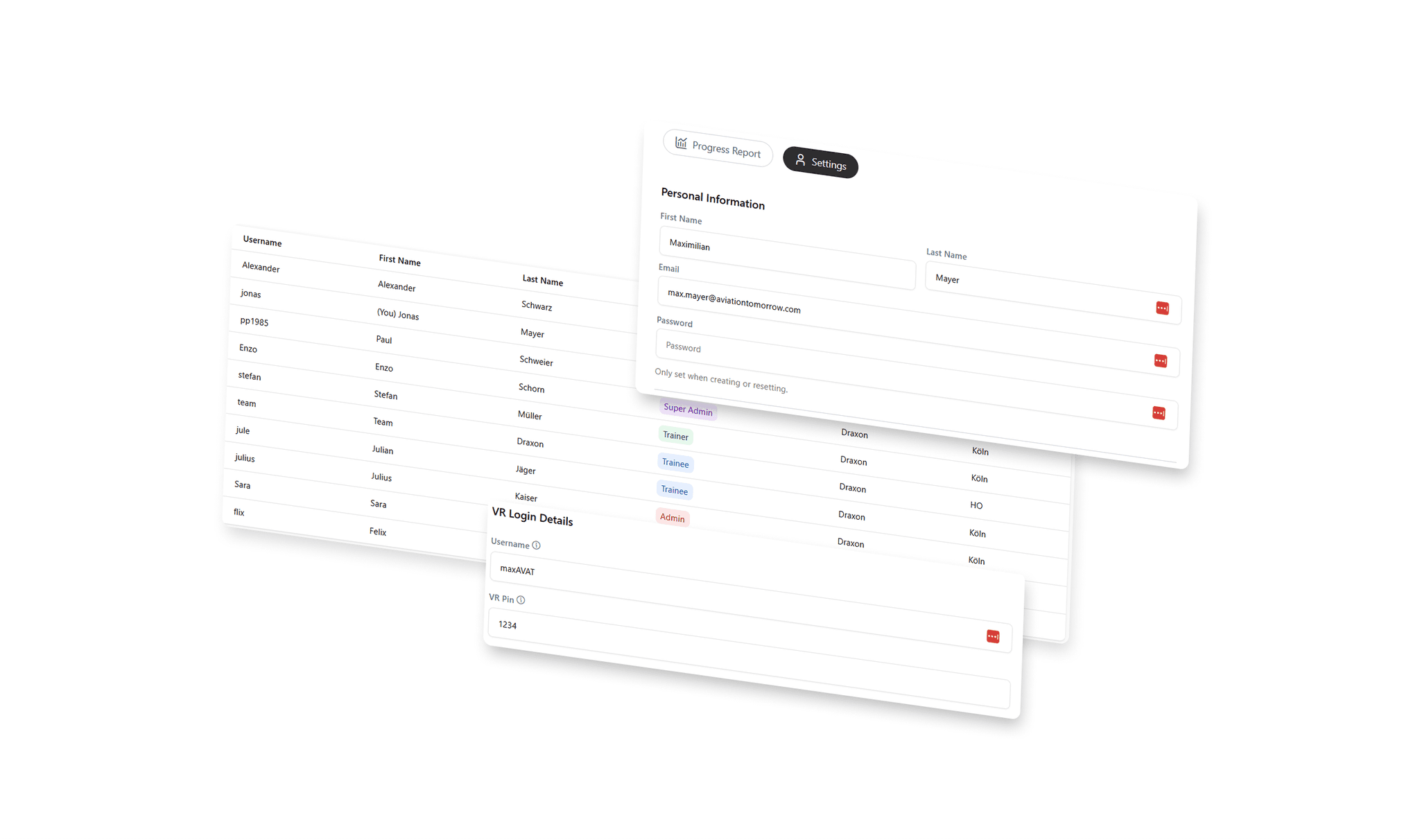
Easy trainee management
Take full control of your team with simplified user management. Instantly adjust profile settings and VR app access to keep your training environment synced.
Observe your trainees VR trainig
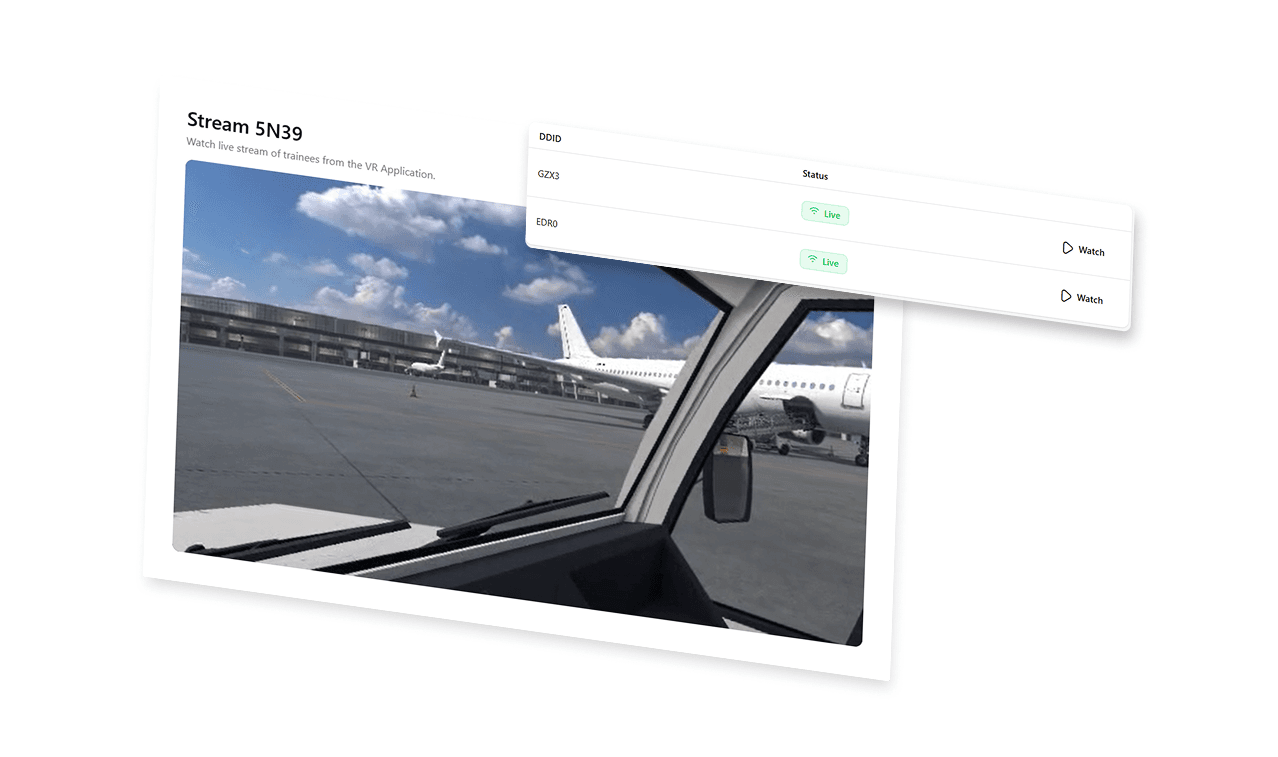
Watch your trainees live in VR directly from the trainer app. Guide their progress and provide instant feedback with a clear, synchronized view of their virtual training session.
Meeting the Highest Industry Standards
IATA-Certified
Built to meet IATA’s global operational and safety requirements, supporting standardized and efficient aviation practices.

EASA
Aligned with EASA safety and regulatory standards to ensure consistent, reliable, and compliant aviation training.

GDPR
Designed with full GDPR compliance, ensuring secure data handling, privacy protection, and trusted information management.

Questions? We have answers:
How many trainees can I manage in the Trainer Portal?
The app is designed for scalability. You can manage an unlimited number of trainees across multiple training stations, making it easy to oversee entire cohorts from a single device.
Can I see exactly what the trainee sees in VR?
Yes. The Observer Tool provides a live, low-latency stream of the trainee's perspective directly on your trainer app, allowing you to guide them through complex procedures in real-time.
How do I monitor trainee performance?
You can use the Dashboard for a high-level overview of recent activity and top performers, or dive into Detailed Progress Tracking to see exactly which modules and lessons have been started or completed by individual trainees.
How do I manage access for different users?
Through the Trainee Management section, you can modify user settings, assign trainees to specific training stations, and manage their access permissions for the VR application
Can I track which content is most popular?
The dashboard highlights the Most Played Lessons, allowing you to identify which training modules are being utilized the most and which content is trending among your team.
Is it possible to see recent activity across the platform?
Yes, the system tracks and displays recent activity, including the most recently played lessons and the latest actions taken by your trainees, so you are always up to date.