 Draxon VR Training Syllabus
Hardware: The VR Headset
This section covers the Meta Quest 3 headset and controllers used in Draxon VR training. Familiarise yourself with the hardware before your first session.
The image below highlights the key controls on the headset:
- Power button — Hold for ~5 seconds to turn on. To restart, hold the power button and select Restart from within VR.
- Lens spacing (IPD) — Dial to adjust the distance between the lenses. Each trainee should adjust this for a sharp, comfortable image.
- Volume — Rocker switch to control the headset speaker volume.
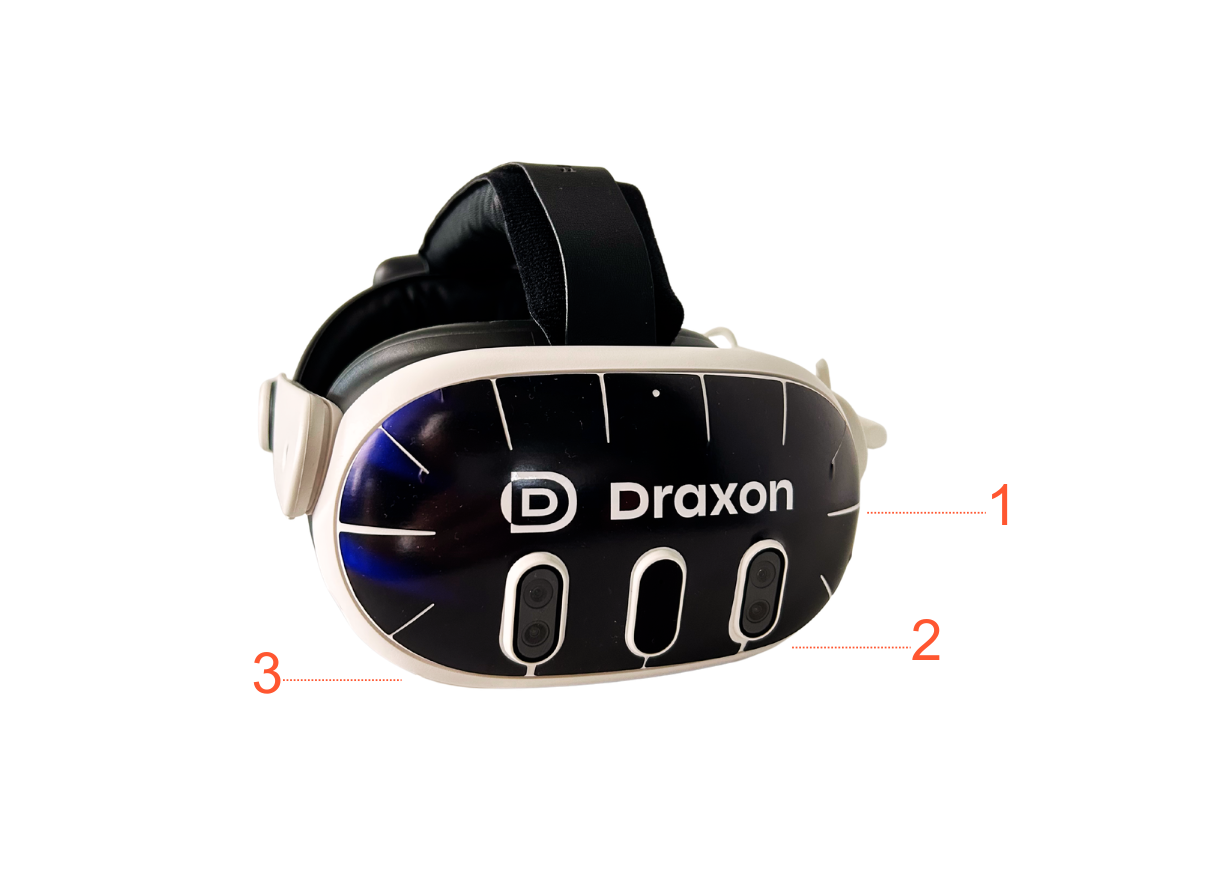
The Meta Quest 3 — your VR training device
Fitting the Headset
- Loosen the rear dial and the top head strap.
- Place the headset on the trainee's head so the lenses sit comfortably over the eyes.
- Tighten the rear dial until the headset feels secure but not too tight.
- Adjust the top strap so the weight is evenly distributed.
- If the image appears blurry, gently slide the headset up or down on the face until the picture is sharp.
For glasses wearers: Put your glasses on first, then place the headset over them. The Meta Quest 3 has a glasses spacer built in — push the lenses slightly away from the face using the depth adjuster on each side.
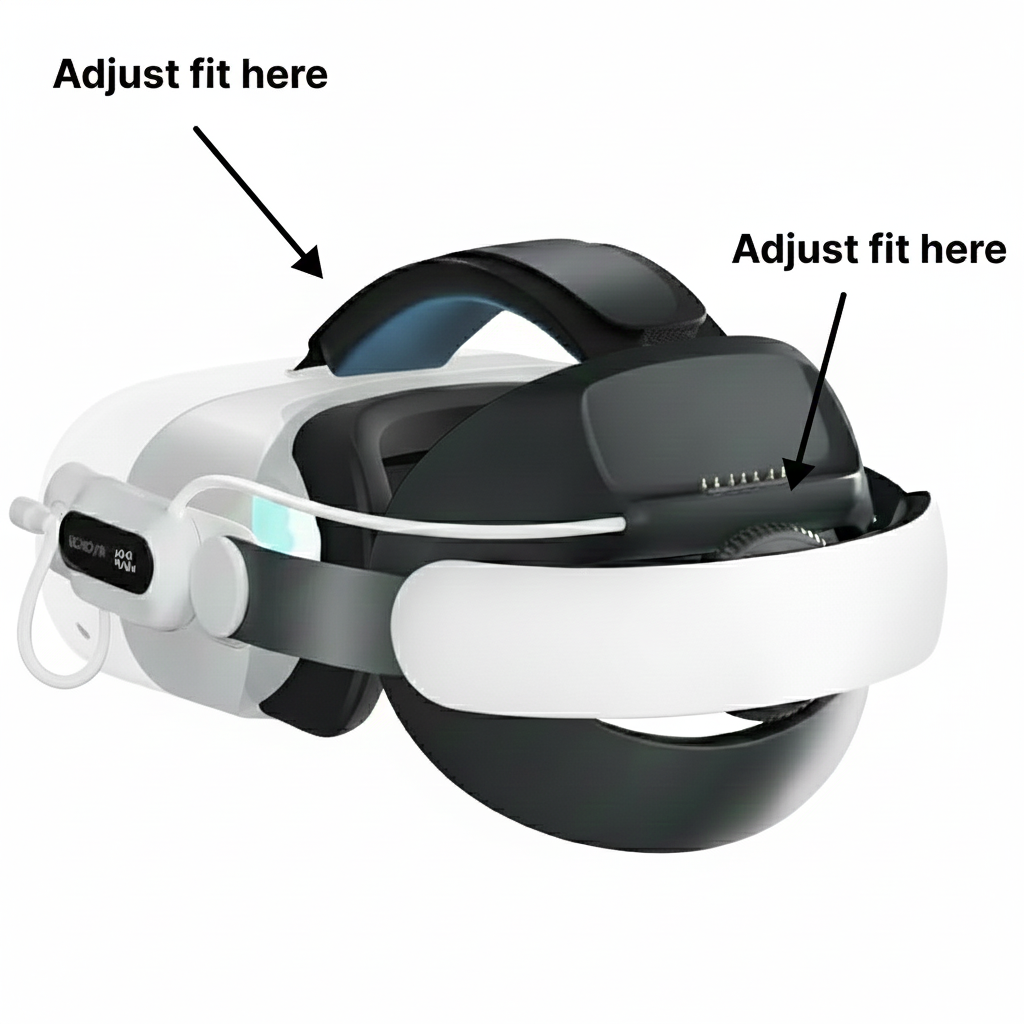
Adjusting the headset for a comfortable fit
Power & Charging
- Power button: Located on the left side of the headset. Press and hold for 3 seconds to turn on or off.
- USB-C port: On the left side of the headset, next to the power button. Use this to charge the built-in battery.
- Battery life: A fully charged headset lasts approximately 2–3 hours.
- Charging time: About 2 hours from empty to full.
Some setups include external batteries that attach to the back of the head strap. These provide an additional 2–3 hours of battery life. Note: the external battery only charges the headset while the headset is turned on.
Tip: Charge headsets overnight after each training day so they are always ready to go.
Controllers
Each headset comes with two controllers — one for each hand.
- Trigger: The button under your index finger. This is your main interaction button — use it to select, click, and grab objects in VR.
- Grip button: On the side of the controller, under your middle finger. Used for grabbing and holding objects.
- Thumbstick: Move it to scroll menus or navigate.
- Meta button (right controller): Press to open the home menu or exit a VR experience.
- Menu button (left controller): Opens the in-app menu.
Replacing Controller Batteries
- Press the small button on the battery cover of the controller. The cover slides off.
- Replace the AA battery.
- Slide the cover back on and press until it clicks into place.
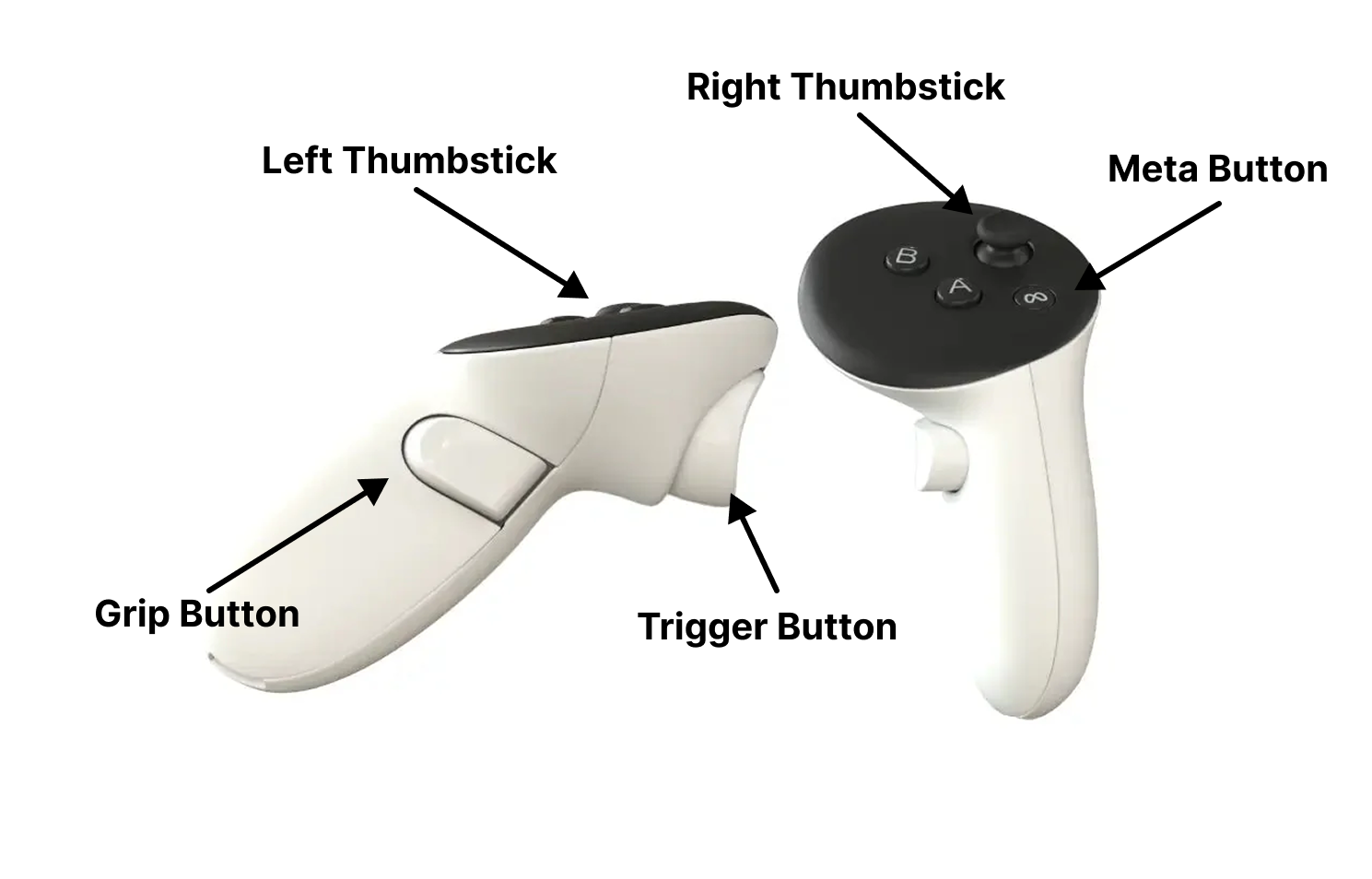
The Meta Quest 3 controller
Tip: Remove the batteries from the controllers after each training session and reinsert them before the next one. This prevents the batteries from discharging while stored.